
Here’s How To Play Google’s Secret Wimbledon Tennis Game
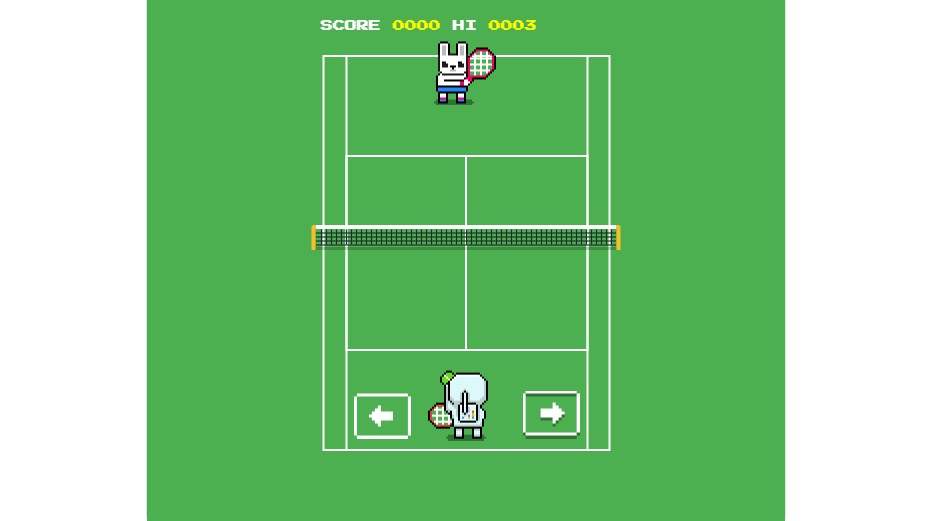
Google is a crafty company, known for hiding hidden games within its apps and software. This includes the dinosaur Rex jumping game on Chrome (when you don’t have an Internet connection) and the classic Snake in Google Maps for April Fools Day.
The tech giant has now sneaked another secret game, this time right under our noses on the Google Search bar.
Google’s Wimbledon tennis game is simple, with gameplay consisting of just moving your player left or right to intercept a tennis ball.
Here’s how to play Google’s hidden Wimbledon tennis game:
- Open Google Search.
- Type “Wimbledon scores” into the search bar.
- In the dark purple bar that lists options like “Men’s Singles” and “Women’s Singles”, click and hold your mouse pointer before proceeding to drag it along to the left.
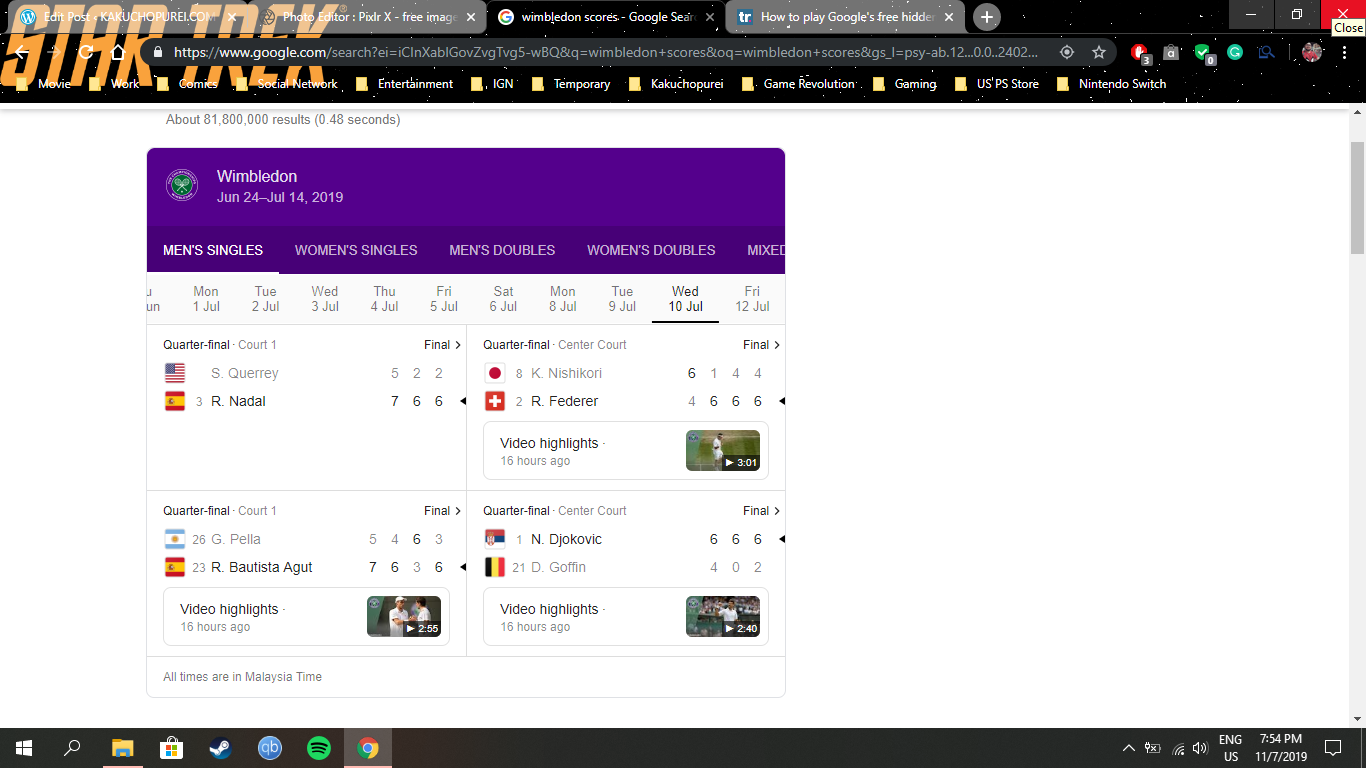
- This will reveal a yellow tennis ball icon at the far right corner.
- Click on that yellow tennis ball icon.
- The Google Wimbledon tennis game will immediately boot up. Simply click on the orange and white button to start playing.
Enjoy the game and rack up some high scores while you’re at it!


Leave a Comment